
AILINTER for VS Code
Real-time code quality scoring, secret detection, and refactoring guidance — inline in your editor. No context switching.
Real-time code quality scoring, secret detection, and refactoring guidance — inline in your editor. No context switching.
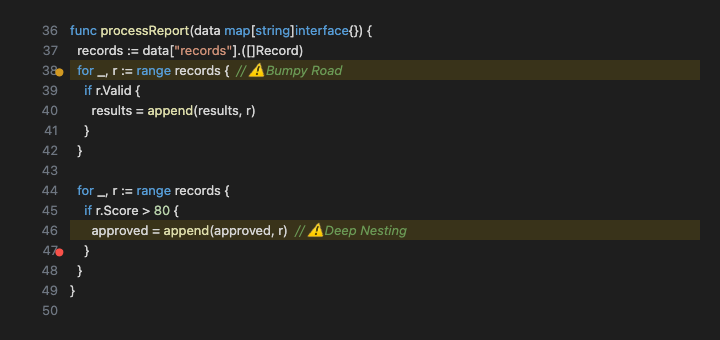

Files scanned automatically when saved. Optional scan-on-open for instant feedback.
Issues highlighted directly in the editor with gutter icons, squigglies, and background highlights.
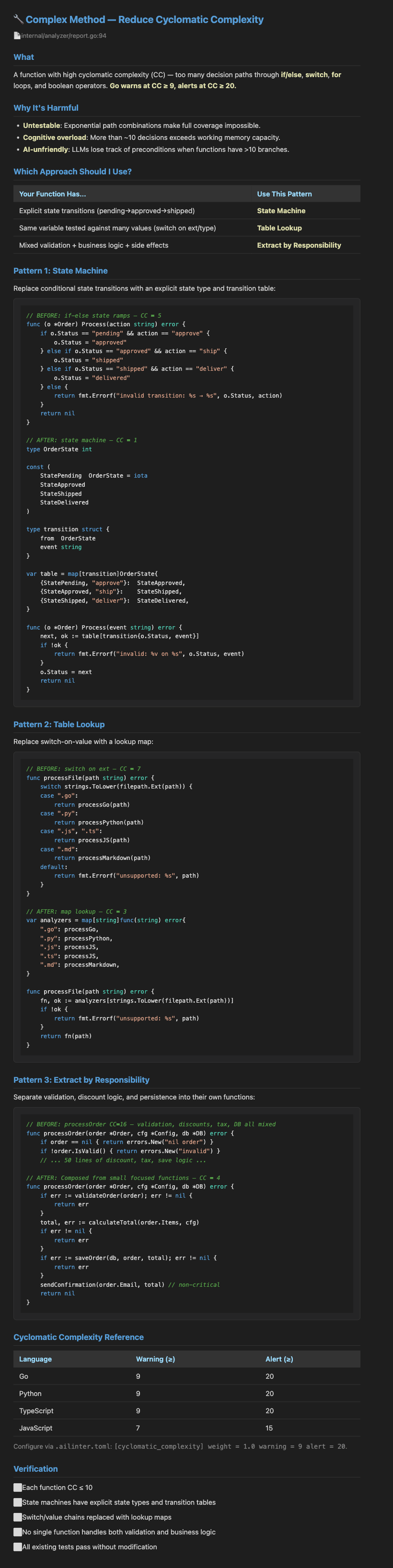
Click the lightbulb (Cmd+.) on any issue line. Get refactoring strategy, replace secrets, or suppress warnings.
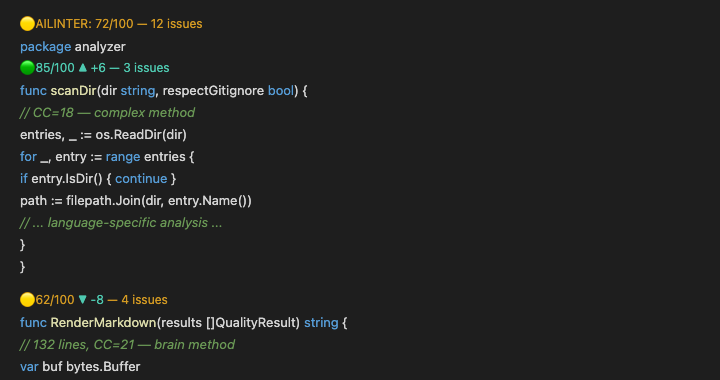
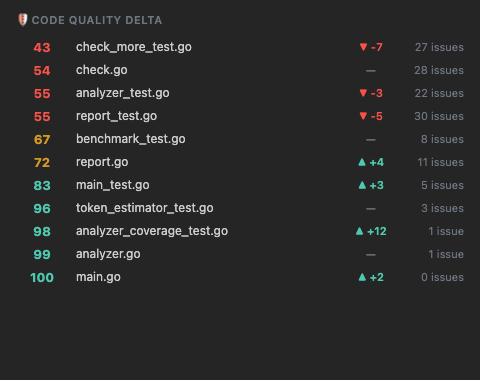
Tracks score changes from git merge-base. See if your changes improved or regressed quality.
Per-function scores displayed above each function. Delta shows before/after comparison.
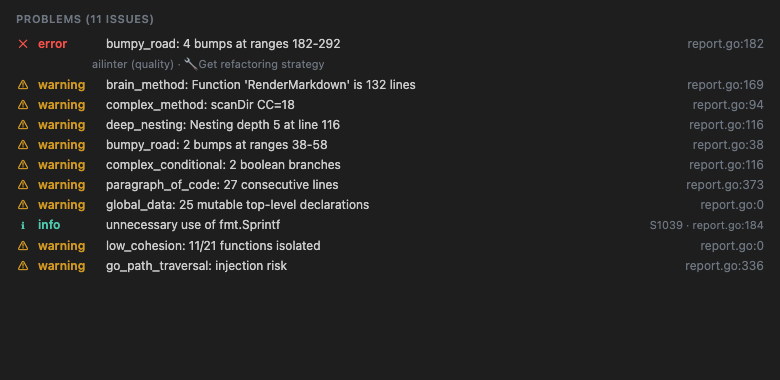
All findings in one place. Filter by severity, click to navigate, sort by file or type.
Rich documentation for all 24 code smells. Before/after Go examples with syntax highlighting.
Per-path rules via .ailinter.toml. Thresholds per language. Auto-detects MCP client.
code --install-extension ailinter.ailinter
Or search "AILINTER" in the Extensions panel (Cmd+Shift+X).
brew install ailinter
The extension requires the AILINTER CLI binary. Download from ailinter.dev →
Go, Python, JavaScript, TypeScript, Java, C#, Ruby, Swift, Kotlin, Rust, C++, C
| ailinter.path | Path to the ailinter binary | default: "ailinter" |
| ailinter.enable | Enable scanning on save | default: true |
| ailinter.scanOnOpen | Scan files when opened | default: true |
| ailinter.qualityThreshold | Minimum quality score (0-100) | default: 80 |
| ailinter.showGutterIcons | Show severity icons in gutter | default: true |
| ailinter.showCodeLens | Show score annotations above functions | default: true |